7 Key Limitations of the Raspberry Pi 400 to Consider Before Buying
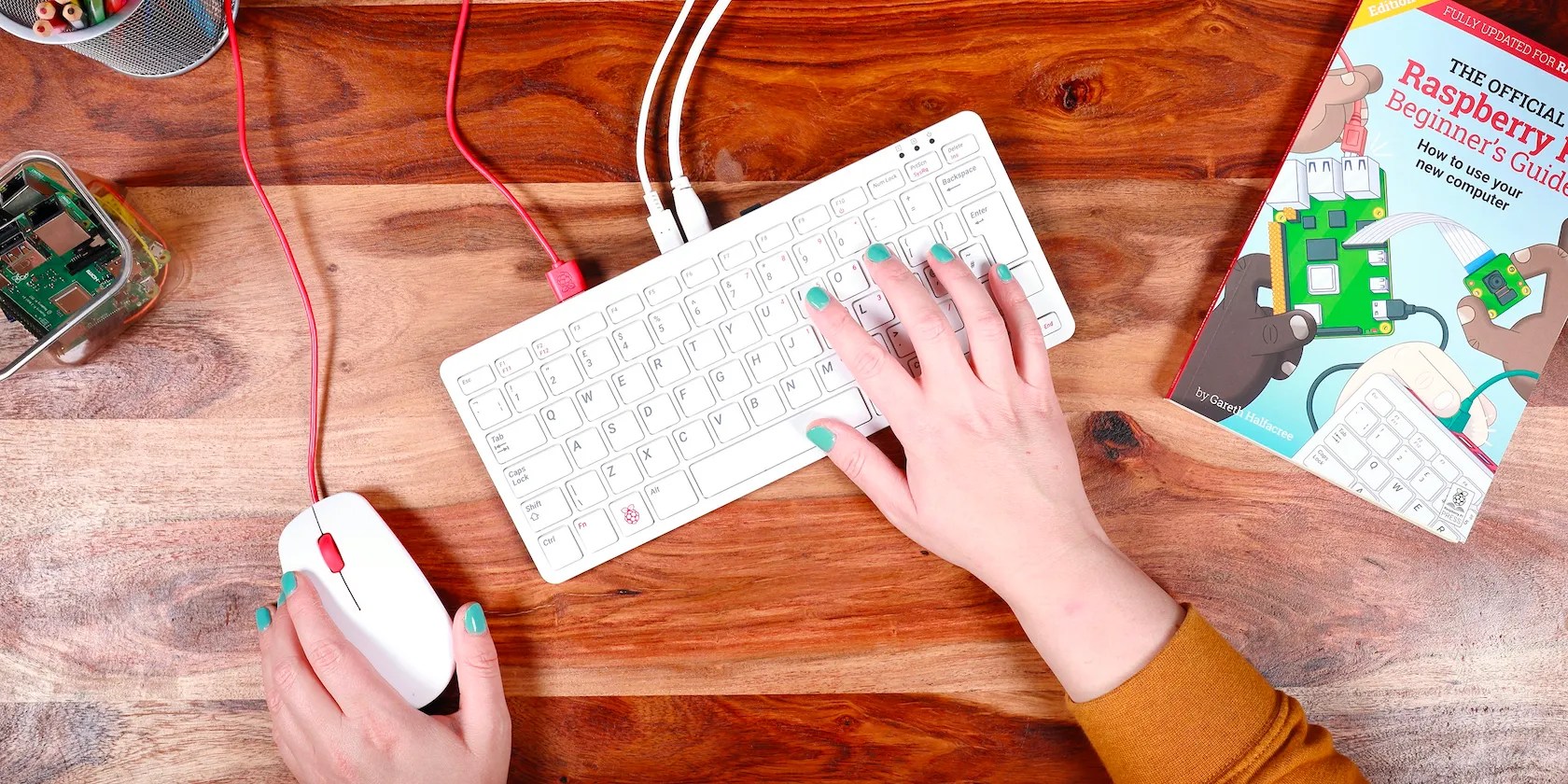
The Raspberry Pi 400 is a compact personal computer in a keyboard form factor. It is Bring Your Own Display, Keyboard, and Mouse (BYODKM), except you can leave out the keyboard—as well as the mouse, if you buy the Pi 400 “ready-to-go” kit.
A big advantage of the Raspberry Pi 400 is that it can be readily found in stores for sale at official prices, unlike other Pi models in the credit-card form factor. However, it has a few limitations that should be considered.

1. Portability May Be an Issue
The Raspberry Pi 400 is a pretty compact device, weighing only 384g and measuring 286 x 122 x 33mm. Compared to the Raspberry Pi 4B, a device that is capable of fitting into most pockets, the Raspberry Pi 400 is considerably more clunky. This is because the keyboard is permanently affixed to the PCB and SoC inside it, which makes the Pi 400 a bit unwieldy.
While this won’t be a deal-breaker for most people, it is something to consider if you will be moving around with your Raspberry Pi a lot.
2. Linux Operating System
The Raspberry Pi 400 officially supports Raspberry Pi OS, an operating system based on the Debian Linux distribution. However, there areseveral operating systems available for the Raspberry Piand you can evenrun Windows 10 on a Raspberry Piif you want to.
Raspberry Pi OS is by no means hard to use or user-unfriendly, but folks coming from Windows or macOS may not find the transition as smooth as it could be. Regardless, you can find tutorials online on websites and forums for almost any operation you want to perform.

If you do not have a Linux background, it is up to you to decide if you are ready to learn how to use a new operating system to work with the Raspberry Pi 400.
3. The GPIO Header Is Horizontal
The General Purpose Input Output (GPIO) header is a row of pins on the board that allow it to interface with physical electronics components. This expansion header is present on the Raspberry Pi 400, but—unlike on other Raspberry Pi models—it is located at the back of the device instead of directly on top.
This means that Hardware Attached on Top accessories (HATs) or expansion boards plugged into the Raspberry Pi 400 will point to the rear of the keyboard computer instead of facing up. This minor issue can be solved by using aGPIO adapter or a ribbon cable to attach a HAT to a Pi 400. You can also opt for HATs designed specially for the Raspberry Pi 400, such as the Adafruit Cyberdeck HAT.

All in all, tinkering with the Raspberry Pi 400 isn’t as straightforward as it is with the Raspberry Pi 4.
4. It Offers Only 4GB of RAM
Unlike the Raspberry Pi 4 Model B, which is available with varying amounts of RAM, from 1GB up to 8GB, the Raspberry Pi 400 only comes with 4GB of RAM. This may be suitable for basic computing and productivity tasks, but it will struggle with multitasking, emulating demanding games, and editing high-definition videos.
For a computer with these specs, 8GB of RAM might seem excessive, but the top-end Raspberry Pi 4 already comes with that much memory.

This lack of an 8GB version of the Pi 400 led a tinkerer to outfit their model with additional 4 gigabytes (detailed onReddit), creating the only 8GB Raspberry Pi 400 in the world. Hopefully, the Raspberry Pi company will release a version with more RAM in the next iteration.
5. It Doesn’t Offer the Best Typing Experience
The Raspberry Pi 400 comes with a chiclet-style keyboard. If you don’t know what that means, it is a type of keyboard where a set of small, square-shaped, rubber keys are placed on top of a membrane sheet.
Chiclet keyboards differ from mechanical keyboardsand membrane keyboards in the mode of actuation and tactile feedback. While they offer more tactile feedback than a membrane keyboard, they usually feel soft and have less travel than a mechanical keyboard.
The chiclet keyboard on the Raspberry Pi 400 isn’t the best one on the market. It has really short travel and offers little tactile feedback. While some users prefer this type of keyboard, if you type a lot on a mechanical or higher-quality keyboard, you’re likely to be disappointed.
For the price point, though, it’s not the worst keyboard in the world, and you might find yourself getting used to it after a while.
6. Certain Ports Are Missing on the Raspberry Pi 400
The Raspberry Pi 400 lacks the 3.5mm headphone jack and the DSI and CSI connectors found on the Raspberry Pi 4. The 3.5mm jack provides both audio and composite video while the DSI and CSI connectors allow you to connect displays and cameras (including the official Camera Modules), respectively, to the Raspberry Pi.
You can still connect headphones and/or speakers to the Raspberry Pi 400 via the USB port or Bluetooth. You could also use aDACBerry 400 Sexpansion board, comprising a sound card with 3.5 audio jack, via the GPIO header for €24.95 ($27.49).
Displays and cameras can be connected to the Pi 400 via HDMI and USB. If your project requires the 3.5mm jack and/or DSI/CSI connectors, you should get the Raspberry Pi 4B instead.
7. Form Factor Restrictions
The small form factor of standard Raspberry Pi boards is one of the reasons why they are so popular. It allows you to use the Raspberry Pi as the brain in your robotics and embedded computing projects.
The form factor of the Raspberry Pi 400 precludes it from most embedded projects. Since it already comes in its own enclosure, putting it in another would frankly be a waste of time and effort. You could rip it out of its keyboard housing to use in your project, but that could go awry fast if you are not careful.
What Are the Reasons to Consider Getting One?
The Raspberry Pi 400 is still an excellent keyboard-integrated computer that you can buy for as little as $70. It features several ports and wireless connectivity options and the GPIO header allows you to work with other electronics components.
While it is not a perfect replacement for the Raspberry Pi 4B, it can work well depending on your project and use case. It has a few limitations, but those do not detract from an overall great product from the Raspberry Pi company.
The Raspberry Pi Foundation has released an all-in-one keyboard computer, featuring the same processor as the Raspberry Pi 4.
You can’t call this offline, Notion.
You don’t need to fork out for expensive hardware to run an AI on your PC.
You’ve been quoting these famous films wrong all along!
These films will leave you questioning humanity, but also wanting more.
Don’t let someone else take over your phone number.
