Google lets you turn your phone into a second screen for YouTube on your TV
Google has steadily improved the YouTube app for smart TVs over the years. Despite its best efforts, certain actions such as liking a video, reading its description, or sharing it with your friends and family have remained clunky, though. This is primarily due to TV remotes not being ideal for navigating an app. To address this poor usability experience, the big G is turning your phone into a second screen for YouTube to make such interactions easier.
In its announcement on theYouTube blog, Google notes that as of January 2022, over 700 million hours of YouTube content is directly being watched on TVs daily. Over80% of people reportedly use another digital devicewhile watching TV, and many of them open the same YouTube video on their phone to interact with it. With this insight, the company decided to use the phone as a secondary screen for interaction purposes instead of trying to cram everything on the TV’s display.

Over the next few weeks, when you open the YouTube app on your smart TV and phone, the latter will prompt you to connect the two devices. Once that’s done, you will be easily able to interact with the video playing on your TV—read its description, drop a comment, become a channel member, or share it with your friends and family.
The second screen capability is available for both iOS and Android devices. Do note that your phone and TV should be signed in to the same YouTube account for the feature to work.
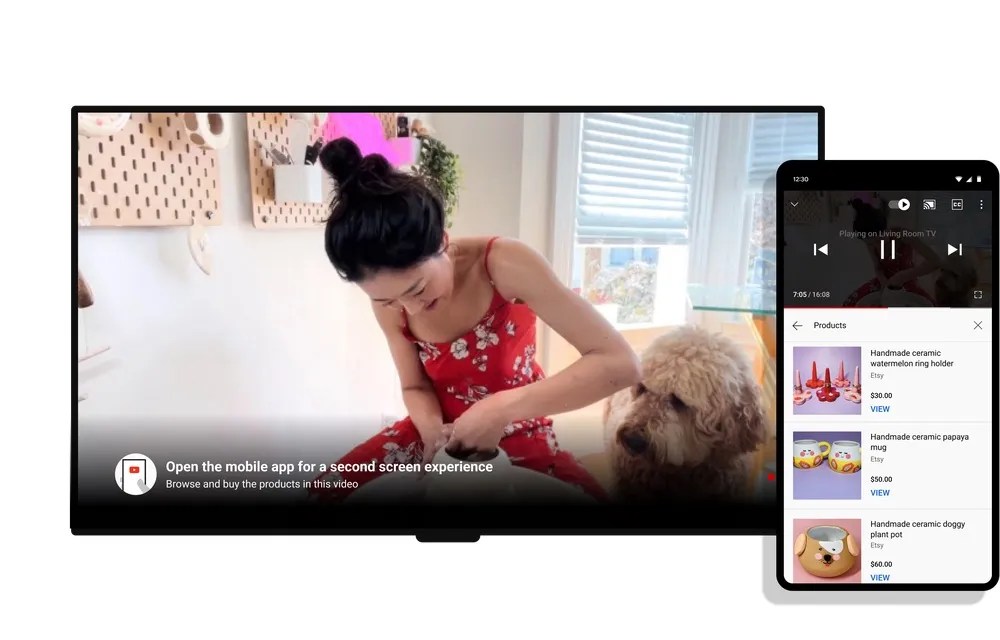
The behavior is somewhat similar to what happens when you cast a YouTube video from your phone to your TV, with playback buttons and the description remaining available on your handset. Google is now just offering the same convenience for videos that you start on your TV’s YouTube app.
Google says the feature is starting to roll out today, so it might take a while until it’s available on your TV and phone.

Additionally, Google is testing new designs for the YouTube watch page “such as browsing and shopping for products featured in videos – directly to the big screen to help you decide when to pick up your phone and engage” to enhance this connected experience further.
The note-taking app I should have used all along

Broader branding hints at wider paid-tier ambitions
Navigate through galaxies of customization with Samsung’s One UI Home

The entry-level Pixel delivers value
Boost Mobile sees changes, too
I played the opening mission of The Outer Worlds 2 and really enjoyed what I experienced
