Raspberry Pi Pico vs. Raspberry Pi Zero: Which One Should You Get?
Raspberry Pi models come in various shapes and sizes. The Pico and Zero are two of the smallest, and one could be inclined to believe that they are very similar. However, they are really two very different boards with distinct features and purposes.
Let’s explore these differences in detail and explore the possible use cases for both boards.

Raspberry Pi Pico
The Raspberry Pi Pico is the most affordable Raspberry Pi board, available from as little as $4 for the basic non-wireless version. Unlike the other Raspberry Pi models, the Raspberry Pi Pico is a microcontroller board, not a single-board computer. This means it is more akin to an Arduino than your desktop computer.
It is incapable of running an operating system or connecting a video display (unless you use a third-party add-on board), but it uses much less power and is perfect for simple, embedded projects. It also includes a unique feature known as Programmable I/O (PIO) which allows you to create custom hardware interfaces for add-ons while taking the load off the main processor.
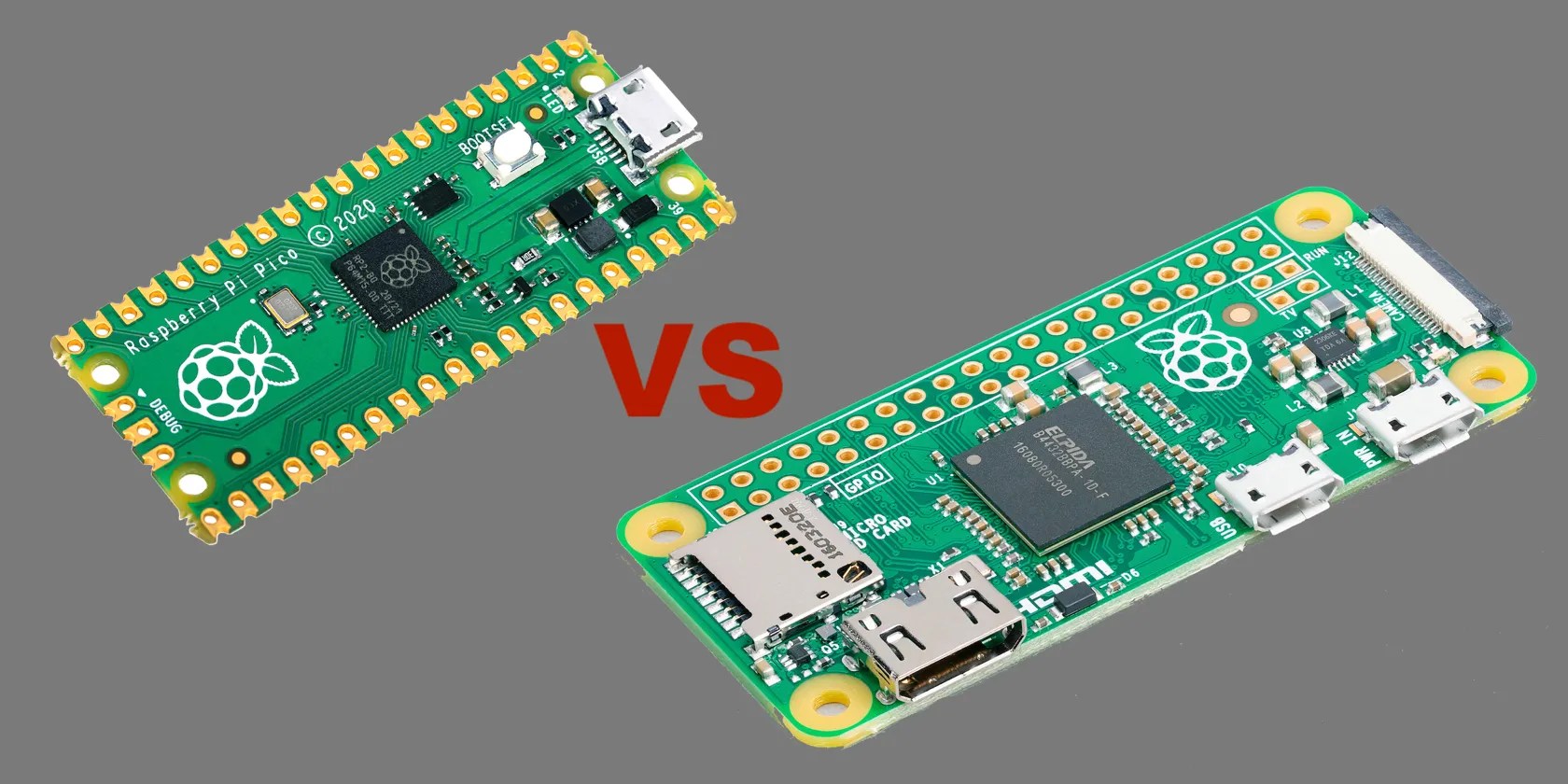
There are three variants of the Raspberry Pi Pico apart from the standard, initial release: thePico W, which offers wireless connectivity, the Pico H (with pre-soldered headers), and the Pico WH (with Wi-Fi and headers).
Raspberry Pi Zero
The Raspberry Pi Zero is a compact and low-cost single-board computer that was launched in November 2015. Still available, the original version is priced at $5, only $1 more expensive than the Pico. The Raspberry Pi Zero W variant comes with built-in Wi-Fi and Bluetooth, making it suitable forRaspberry Pi IoT projects.
The more powerful Raspberry Pi Zero 2 W model was launched in 2021 for $15. It is up to five times faster than the original model and is also 64-bit capable.

Unlike the Pico, the Raspberry Pi Zero is capable of running the Raspberry Pi OS, a Debian-based Linux distribution optimized for Raspberry Pi devices, along with many otherRaspberry Pi operating systems. For a more in-depth look at the board, be sure to check ourreview of the Pi Zero 2 W.
What Are the Differences?
The Raspberry Pi Pico and Raspberry Pi Zero differ in many different aspects.
Form Factor
The Raspberry Pi Pico is much smaller than the Zero, at 2 x 0.8 x 0.04 inches. The Raspberry Pi Zero measures 2.6 × 1.2 × 0.2 inches, for comparison. If your project has strict size limitations, the Raspberry Pi Pico’s form factor might be more suitable.
Price and Availability
The basic Raspberry Pi Pico is much more affordable, compared to the Pi Zero W or Zero 2 W. You can buy three Picos for the price of one Zero W (at official retail prices) and still have some change left. The Pico W, however, is the same price as a Zero W / 2W, at $15.
The Raspberry Pi Pico is readily available and has been left relatively untouched by recent supply shortages and thescalper situation affecting other Raspberry Pi SBCs.

Performance and Memory
The Raspberry Pi Zero is intended to serve as a general-purpose computer, so it comes with a much more powerful processor than the Pi Pico. The Pi Zero 2 W has a quad-core Cortex-A53 CPU with a default clock speed of 1GHz (without being overclocked). On the other hand, the Pico has a dual-core ARM Cortex-M0+ running at a clock speed of 133MHz. While it is perfectly suitable for many embedded applications, it really pales in comparison to the Raspberry Pi Zero 2 W and even the Zero W (which has a single-core 1GHz CPU).
The Raspberry Pi Pico provides 256kB of RAM and 2MB of onboard flash storage. It is possible to expand the storage by using a microSD breakout board. The Raspberry Pi Zero 2 W, on the other hand, offers 512MB of RAM and has a microSD card slot for storage (and the OS); you could also connect external storage via the micro-USB OTG port.

Power Consumption
The Raspberry Pi Pico consumes a minuscule amount of power compared to the Pi Zero. During the popcorn media player test, a demo that uses VGA video, SD card, and I2S audio, the Pico consumed about 0.455W with power-saving turned off. It provides two low-power modes: dormant and sleep.
According to tests byJeff Geerling, the Raspberry Pi Zero W and 2 W use 120mA (0.7W) with HDMI and LEDs turned off and onboard Wi-Fi connected. If your project does not require the extra processing power of the Raspberry Pi Zero, using the Raspberry Pi Pico helps you reduce electrical power drain, so it may be better suited for simple, portable projects run off a battery pack.
Software and Programming
Raspberry Pi Pico supports several programming languages, including MicroPython, CircuitPython, and C/C+. It is designed to be easily programmable using another computer connected to the Pico via a micro-USB cable. A software development kit (SDK) has been provided for the Raspberry Pi Pico and other RP2040 boards which makes it much easier to build applications for the microcontroller using C/C++ and MicroPython.
The Raspberry Pi Zero is capable of running many different operating systems, such as Raspberry Pi OS and Ubuntu, and supports a wide range of programming languages and software frameworks. However, unless using a Pi Zero 2 W, you may well be better off opting for alightweight operating systemlike Raspberry Pi OS Lite or DietPi. Otherwise, be sure to follow our complete guide on how toset up a Raspberry Pi Zero 2 W.
Technical Specifications
Key specifications of the Raspberry Pi Pico and Raspberry Zero 2 W are listed below, presented side-by-side:
Raspberry Pi Zero 2 W
Arm Cortex-M0+ dual-core @133MHz
64-bit Arm Cortex-A53 CPU, quad-core @1GHz
264kB SRAM
512MB SDRAM
Wi-Fi, Bluetooth (W and WH models only)
Wi-Fi, Bluetooth 4.2
1 × USB 1.1 controller and PHY
Mini HDMI video, micro-USB OTG, CSI camera connector
2MB QSPI flash
No onboard storage, microSD card slot
2 x 20-pin headers (unpopulated except on H/WH models), including 3 analogue inputs
40-pin header (unpopulated), no analogue inputs
PIO State Machines
Dimensions
51 x 21 mm
Pico vs. Zero: Which One to Choose for Your Project
Choosing between the Raspberry Pi Zero and Pico requires you to consider your specific project requirements. Here are some important factors to consider when choosing between the two:
Raspberry Pi Pico vs. Raspberry Pi Zero: MCU vs. SBC
To sum up, the Raspberry Pi Pico and Raspberry Pi Zero have some overlap in use cases, but the Zero can do a lot more. As a microcontroller, the Raspberry Pi Pico is an Arduino alternative while the Pi Zero is a low-cost single-board computer that can run a full operating system. You should therefore consider your project requirements carefully and choose the model that best fits your needs.
The Pi Foundation’s first microcontroller is here! Learn how to program it using MicroPython.
You’ve been quoting these famous films wrong all along!
It’s not super flashy, but it can help to keep your computer up and running.
The best features aren’t the ones being advertised.
I found my TV was always listening—so I shut it down.
Revolutionize your driving experience with these game-changing CarPlay additions.
